custompaint
Guitar Body Skins
Full-body custom paint finishes, illustrations, and liveries. Loaded in the Paint Station under the Skin Workflow.

Craft custom body skins, fretboard inlays, wood tops, and patterns. Share your creations on the Steam Workshop with our built-in mod publisher.
A seamless 3-step pipeline built directly into the game—no Unreal Engine editor or external tools required
Press Win + R, open %LocalAppData%\Guitar_workshop\Saved\Mods\LocalMods\ and duplicate the ready-to-use ModTemplate folder.
%LocalAppData%\Guitar_workshop\Saved\Mods\LocalMods\
Add your texture.png (2K/4K artwork or mask), preview.png thumbnail (< 1 MB), and configure mod_info.json.
Launch the game, open Main Menu > Mods, preview your creation and click 'Publish to Steam Workshop' with one click.
Native support for custom finishes, fine lutherie woodwork, and personal workshop decorations
Full-body custom paint finishes, illustrations, and liveries. Loaded in the Paint Station under the Skin Workflow.
Custom texture design for fretboard markers and fret inlays, applied directly in the Paint Station.
Custom seamless tileable black & white patterns.
Black & white texture projected onto the front face (top) of the guitar.
Hang custom flags, brand emblems, and band artwork on your workshop walls to personalize your luthier space.
Download the official layered PSD packages to start designing your custom guitar finishes
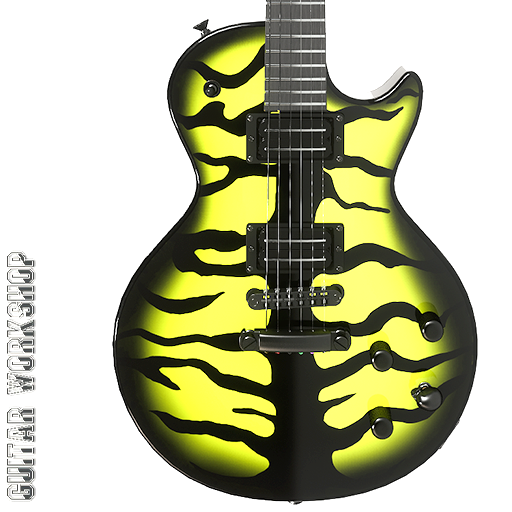 BODY TEMPLATE
4096 × 4096
BODY TEMPLATE
4096 × 4096
Official template for the Dusthorn Single Cut body.
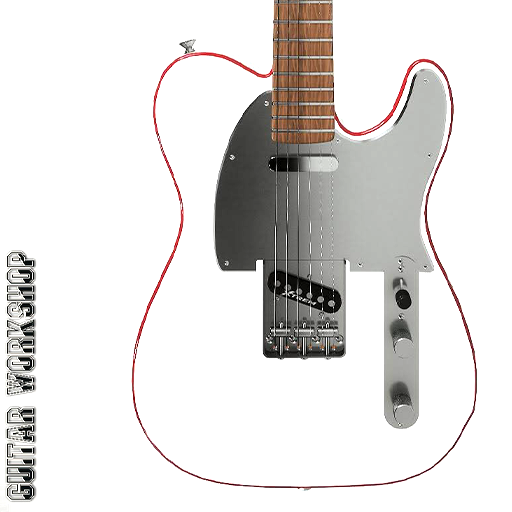 BODY TEMPLATE
4096 × 4096
BODY TEMPLATE
4096 × 4096
Official template for the Nashcaster Classic body.
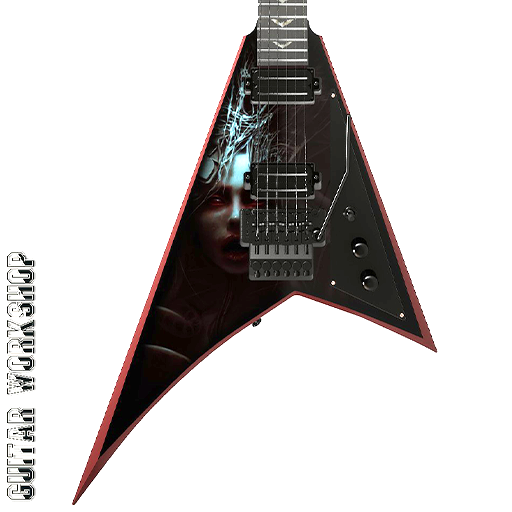 BODY TEMPLATE
2048 × 2048
BODY TEMPLATE
2048 × 2048
Official template for the Vyperion body.
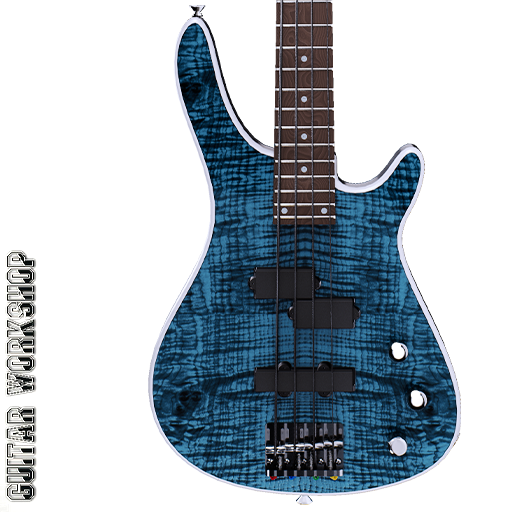 BODY TEMPLATE
4096 × 4096
BODY TEMPLATE
4096 × 4096
Official template for the Spectrum Bass body.
Official templates for fretboard inlays and workshop wall banners
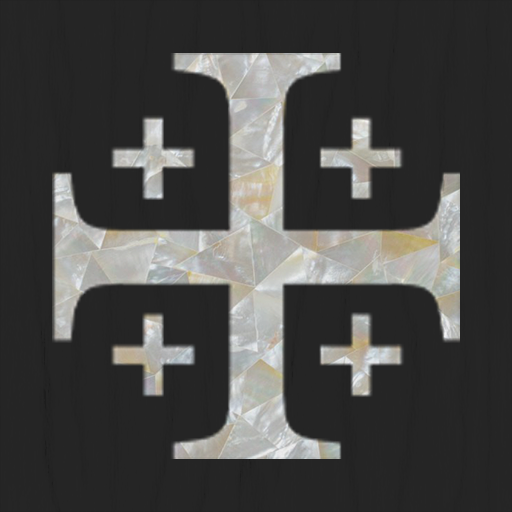 INLAY TEMPLATE
2048 × 2048
INLAY TEMPLATE
2048 × 2048
Official template for custom fretboard markers and neck inlays.
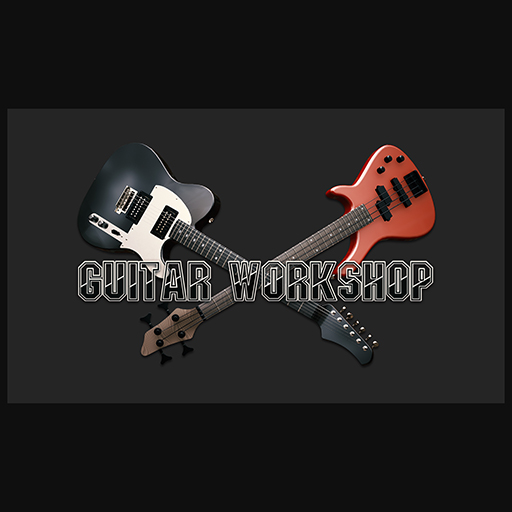 FLAG TEMPLATE
2048 × 2048
FLAG TEMPLATE
2048 × 2048
Official template for workshop wall banners and flags.
Every mod is self-contained within its own subfolder inside LocalMods\
{
  "ModName": "Epic Vyperion Skin",
  "ShortName": "Epic Vyperion",
  "Type": "custompaint",
  "Author": "LuthierMaster",
  "Description": "Epic skin for the Vyperion guitar model.",
  "compatible_model": "Vyperion",
  "PublishedFileId": "0"
}| Key | Type | Description |
|---|---|---|
ModName |
string | Public title displayed on Steam Workshop. |
ShortName |
string | Compact name in in-game dropdown menus. |
Type |
string | custompaint, inlay, pattern, wood,
flag
|
compatible_model |
string | Target guitar model for body skins. |
PublishedFileId |
string | Leave as "0"; game auto-updates upon publish. |
Square power-of-two texture (1024×1024 up to 4096×4096). Full-color RGB for skins & flags; Black & White mask for inlays (custom fret marker design) and patterns (primary and secondary colors in the Paint Station).
Square thumbnail preview (e.g. 512×512). MUST be strictly under 1 MB, otherwise Steamworks UGC will automatically reject the upload.
Common questions regarding file formats, Steam Workshop validation, and updates
No! You only need any standard image editing software (Photoshop, GIMP, Krita, Paint.NET). The game imports PNG and JPG files dynamically at runtime without needing external mod tools or engine installs.
The most common reason is preview.png file size. Steamworks UGC strictly requires the preview thumbnail to be under 1 megabyte (1024 KB). Also ensure the image is square.
Keep your local folder intact! When published, Guitar Workshop automatically saves your unique Steam Workshop item ID into mod_info.json. Opening the in-game Mods menu will show an 'Update Workshop Item' button that updates your page without creating duplicates.
Yes! The Spraying Workbench's Skin Workflow allows toggling additional layer masks (contour lines, perimeter bursts, tonewood tints) right on top of your custom skin texture.
Simply hit 'Subscribe' on any mod on the Steam Workshop. Steam downloads the files, and upon launching Guitar Workshop, they are instantly recognized and available in the corresponding workbench drop-downs.